Product
Six areas, in the order the work runs
Pindrop is organised around the listening year, not the survey. These are the areas you meet on day one: start with the organisation, plan the year, run or import the survey, read the results, act, and keep the record of people current for next time.
Overview
Overviewfrom Free
Every organisation you listen to has its own page. Its Overview is the twelve-month calendar: the surveys planned and running, including the ones another platform runs when the approved strategy names it, with the results that have come in and a prompt when the strategy is due for review. Home lists every organisation with the most urgent first, so the Overview is where a day's work starts, and every other area is reached from it.
Plan
Context · Listening strategies · Roadmapsfrom Free
Context records who the organisation is and the decision the listening should inform; from Essentials it also holds what listening already exists, the constraints a works council or data-protection team will raise, and how much capacity there is to act. The strategy reads it. A listening strategy is the plan for how and when the organisation hears from people, and it sits above any one survey: the decision it serves, who is heard, the channels, who runs each one and in which months, and a date to review it by. Submit it for review, approve it, and download the board pack. A roadmap then places the strategy on a 12, 24 or 36 month timeline, and from Essentials an approved listening year can be shared by link without a sign-in.
Surveys
Surveys · Questionnairesfrom Free
A questionnaire is the instrument; a survey is one run of it. Write the questions, upload them from Word, Excel or PDF, import them from a connected platform, or start from a framework questionnaire such as PERMA or JD-R. A Lenses panel shows which dimensions the questions cover, the questionnaire is approved before a survey uses it, with reviewers invited to comment from Essentials, and answers always land on the approved version. Running the survey in Pindrop, with invitations, reminders and an anonymity threshold, starts on Essentials; on Free you run it in the tool you already use.
Results
Results · Presentations · Reports · Dashboards · What we knowfrom Essentials
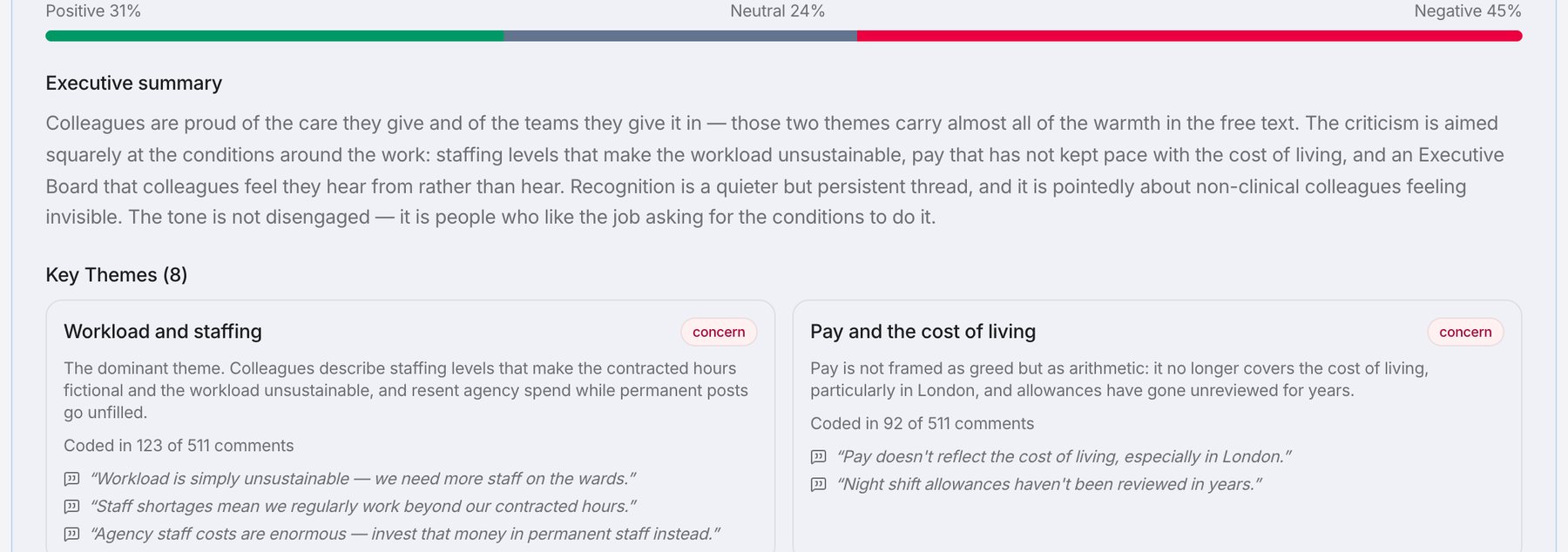
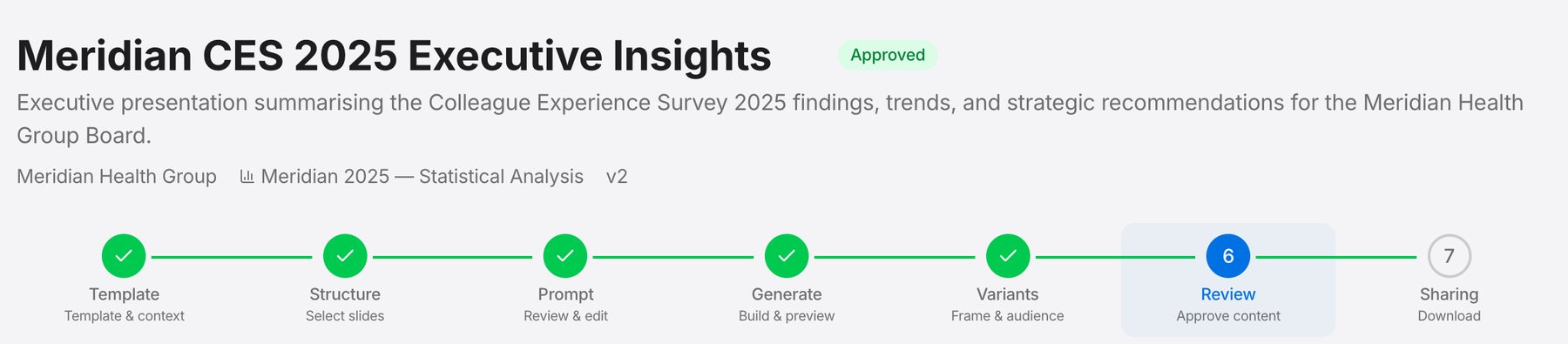
An analysis brings a survey's data and results together, whether the survey ran in Pindrop or arrived as a file. It shows favourability by dimension and by item, breakdowns by demographic, the change since the last survey, and, from Professional, open comments grouped into themes with the quotations each came from. Groups smaller than the anonymity threshold are not shown. From it, build a written report or a dashboard, or, from Professional, a presentation in the organisation's own PowerPoint template. What we know is the register of what the listening has found: each insight with its evidence and a note of how sure you are, revised rather than deleted, so it survives between surveys.

The results
How many people answered, and the overall picture.
What people said
One theme, the words it came from, and how many comments were read.
The pack
Built from the organisation's template, then approved before it is sent.
Actions
Action plans · Workshops · You said, we didfrom Essentials
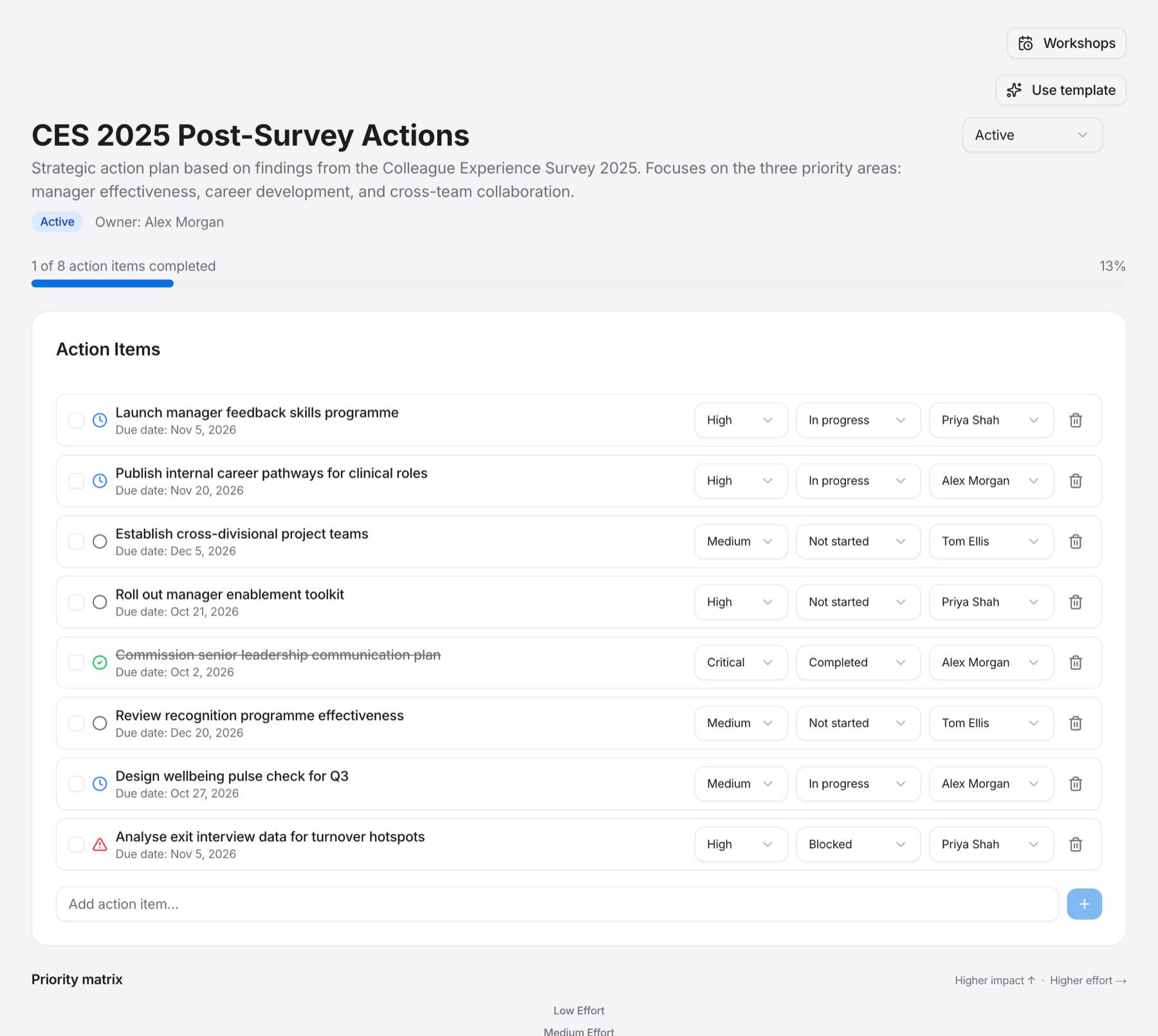
An action plan says what you want to change, how you will know, what could get in the way and what you will do, with a date to review progress. It starts from a finding on the analysis or from a workshop, and needs no Pindrop survey. You said, we did is the note for employees, built from the organisation's plans and exported into their own comms; publishing it is what records that the survey was followed up. Actions export to CSV or Excel for the tracker the organisation already uses.
What will change
Each action has an owner and a date to look again.
People
Directory · Structure · Changesfrom Essentials
One standing record of who can be invited: name, work email, job title, department, location, unit and manager. Import it from a CSV or Excel export, match the columns once, and nobody is deleted by an import. Surveys choose their participants from it and take their own copy, so the same workforce is never uploaded twice. Changes shows who joined, left, returned or moved between two dates, and where each change came from. Where two surveys' participants are both linked to the directory, the trend can compare the same people. It never shows anyone's answers.
Simple, Standard and Detailed
Six parts of Pindrop have a level of detail: context, listening strategies, roadmaps, programmes, projects and questionnaires. Simple holds the decision, the people and the next step; Standard adds the working detail, such as dates, owners, channels and measures; Detailed adds governance, the assembled document and the rest. Free works at Simple, Essentials at Standard, and Professional and above at Detailed, and work saved above your plan's level opens read-only rather than disappearing. Surveys and analysis have no level: they are the same on every plan that includes them.